Planning kit
Email marketing calendar template
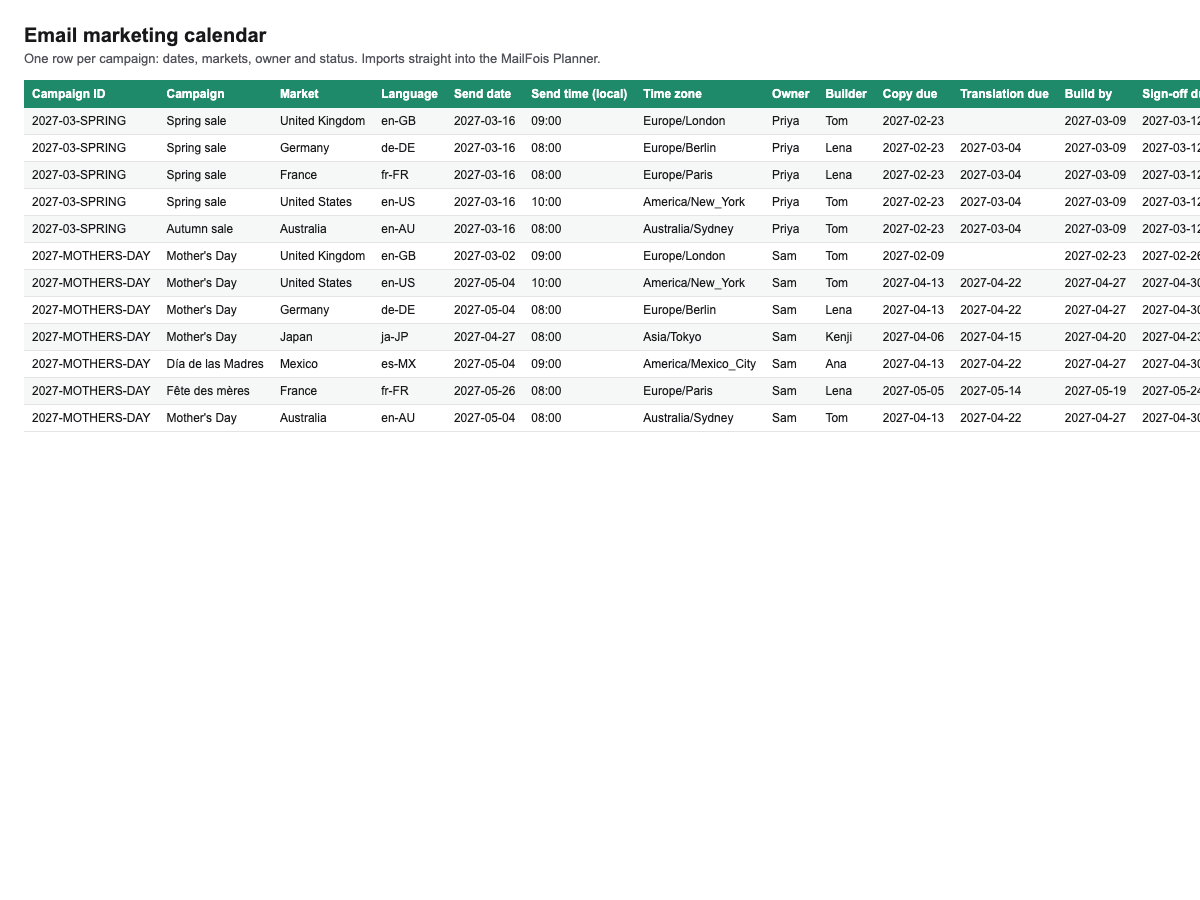
A ready-made campaign calendar for Excel or Google Sheets: one row per campaign per market, with every date that matters.
- Works with Mailfois: Imports straight into the Mailfois Planner.
- You get: mailfois-email-marketing-calendar-template.xlsx
Plan your sends in a spreadsheet that already has the right columns, then bring it into Mailfois in one go when you're ready.
What's inside
- One row per campaign per market, with campaign ID, market, language, send date, time and time zone
- Owner, builder and the dates that keep a campaign on track: copy due, translation due, build by and sign-off due
- A stage for each market, plus offer or theme and notes
- Worked examples across the UK, Germany, France and the US, including the spring clock change that catches people out
How to use it
- Download it and open it in Excel, Numbers or Google Sheets.
- Replace the examples with your own campaigns.
- In Mailfois, open Planner, then Import, and drop the file in. Every row becomes a campaign with its markets and dates.
Already in Mailfois? Use Import into Planner from the Store page in the app and it loads by itself.